

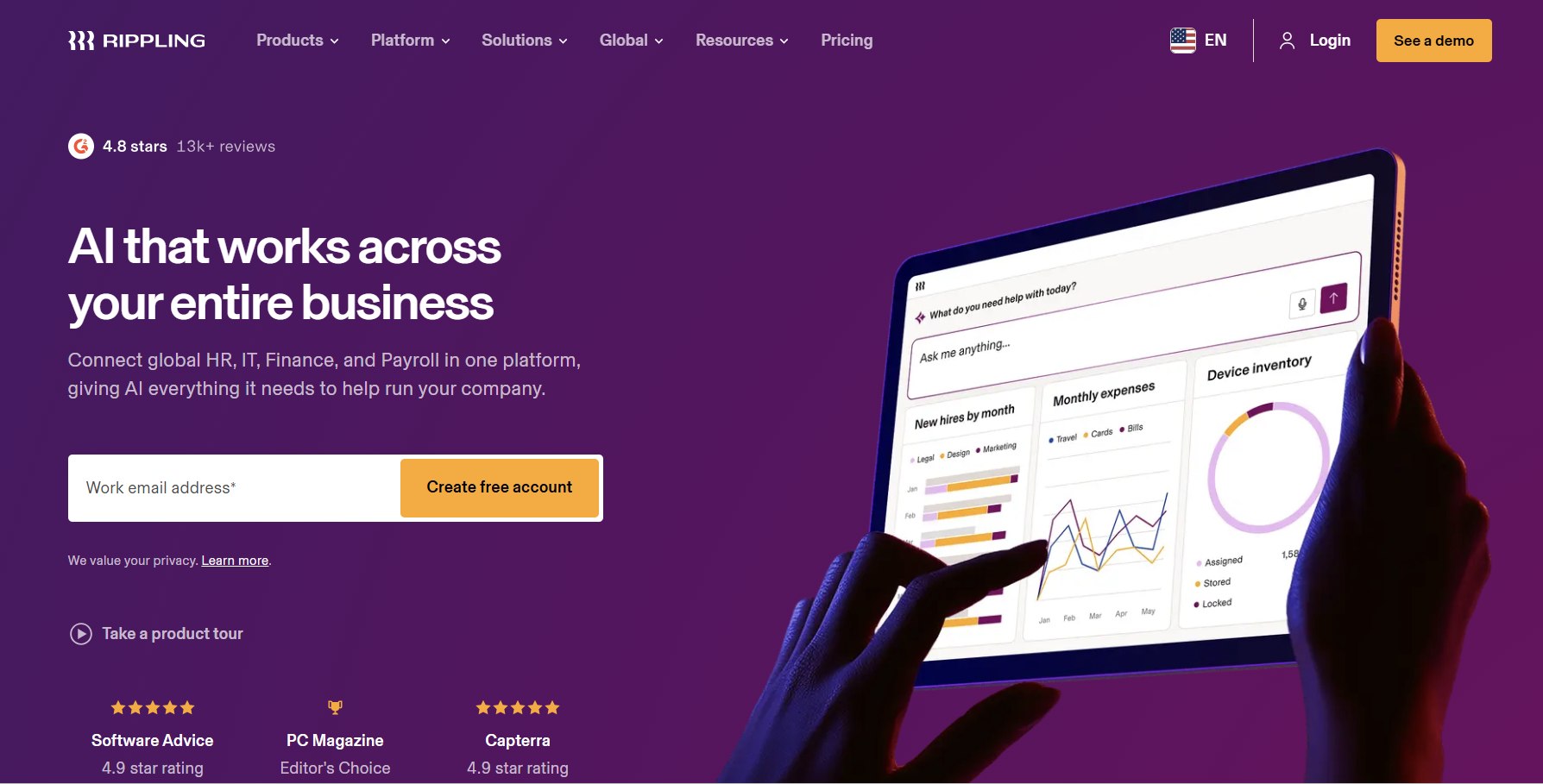
In 2026, Rippling stands as one of the most ambitious and comprehensive workforce management platforms, unifying HR, payroll, IT, finance, and talent management into a single system built on a unified employee data graph. Founded in 2016, the San Francisco-based company has grown rapidly by addressing a key pain point: fragmented tools that force HR, IT, and finance teams to duplicate data and manage multiple logins.
This review dives deep into Rippling’s 2026 capabilities, pricing realities, integrations, real-user feedback, strengths, weaknesses, and ideal use cases. With its modular design and heavy emphasis on automation and global capabilities, Rippling appeals especially to scaling tech-savvy companies, but it comes with important considerations around cost and complexity.
Company Background and Overview
Rippling positions itself as the “#1 Workforce Management System” that eliminates friction across HR, IT, and Finance. Its core innovation is the Employee Graph — a single source of truth for all employee data that automatically syncs changes across every module and integrated app.
By 2026, Rippling supports businesses from small startups to large enterprises, with strong capabilities in global payroll, EOR (Employer of Record) services, device management, and AI-powered automation. It has earned top ratings across review platforms (often 4.8–4.9/5 on G2 and Capterra) and recognition in G2’s 2026 Software Awards, including high rankings for global companies and customer satisfaction (NPS around 90).
Rippling’s philosophy: Build everything on one modern platform so changes (hires, terminations, promotions) automatically trigger workflows across payroll, benefits, IT access, devices, and more — dramatically reducing manual work and compliance risks.
Key Features in 2026
Rippling’s modular architecture lets companies start small and expand. Everything runs on the unified Rippling Unity platform.
Core HR & Employee Management
- Centralized employee database with self-service portal.
- Automated onboarding/offboarding workflows.
- Custom fields, org charts, and role-based permissions.
- Time & attendance tracking with GPS and scheduling.
- Performance management, goals, and feedback tools.
- Learning Management System (LMS) for training and compliance courses.
Payroll & Benefits Rippling offers full-service U.S. payroll with automatic tax filing and one of the strongest global payroll offerings (50+ countries, multi-currency). Benefits administration covers medical, dental, vision, 401(k), HSA, COBRA, and more. Payroll runs can be completed in minutes thanks to automation that pulls hours, deductions, and benefits data automatically.
IT & Device Management A major differentiator:
- Automated app provisioning/deprovisioning (e.g., Slack, Zoom, Google Workspace).
- Device management for laptops, phones, and inventory.
- Single Sign-On (SSO) and identity management.
- Security policies and access controls that trigger on employee status changes.
Talent Acquisition (ATS)
- Job posting to major boards.
- AI-powered candidate screening and interview summarization.
- Smart scheduling and offer letter generation with e-signatures.
- Seamless handoff from candidate to employee record.
Finance & Spend Management
- Expense management and corporate cards.
- Travel booking and reimbursements integrated with payroll.
- Custom reporting and analytics dashboards.
Workflow Studio & AI The Workflow Studio enables no-code automation with powerful triggers based on employee data. In 2026, enhanced AI assists with insights, task delegation, interview summaries, and predictive analytics.
Global & Compliance Tools EOR services, contractor management, and localized compliance across dozens of countries.
Pricing Plans (2026)
Rippling uses a modular, per-employee-per-month (PEPM) model that is transparent at the base level but requires quotes for full configurations. There is typically a base platform fee.
- Core Platform (Rippling Unity/HCM): Starts at ~$8 per employee/month + $35–$40 monthly base fee. Includes basic HRIS, self-service, and some automation.
- HR + Payroll + Benefits: Typically $16–$24 per employee/month depending on modules.
- Full All-in-One (HR, Payroll, IT, Talent, Finance): Often $35+ per employee/month when fully loaded.
Realistic Total Cost: Most mid-market users report $15–$50+ per employee/month once they activate multiple modules, benefits administration, global payroll, or IT features. Add-ons for advanced reporting, custom workflows, or EOR carry extra fees. No long-term contracts in many cases, but implementation and data migration costs apply.
Compared to point solutions, Rippling can be cost-effective through consolidation, but costs scale quickly for companies adding many capabilities.
Integrations
Rippling boasts 600+ native integrations, one of its strongest assets.
Key categories include:
- Productivity: Slack, Zoom, Microsoft 365, Google Workspace.
- Accounting/Finance: QuickBooks, NetSuite, Xero, Salesforce.
- Security & IT: 1Password, Okta, and device vendors.
- Talent & Other HR: Background check providers, assessment tools.
The Employee Graph ensures bidirectional sync — changes in Rippling automatically update connected apps, and vice versa in many cases. This reduces errors and duplicate data entry significantly. While not infinite like some enterprise platforms, the depth and reliability of integrations stand out for mid-market and scaling companies.
User Reviews and Ratings (2026)
Rippling consistently earns excellent scores:
- G2: ~4.8/5 (over 11,000 reviews).
- Capterra: ~4.9/5.
- High marks for ease of use, functionality, and customer support.
Common Praise:
- Dramatic time savings through automation (onboarding/offboarding in minutes).
- Unified platform reduces tool sprawl.
- Excellent for growing companies needing HR + IT together.
- Strong global capabilities and modern interface.
Reported Challenges:
- Pricing can become opaque and expensive as modules are added.
- Steep learning curve for full platform power.
- Interface occasionally feels overwhelming for very small teams.
- Custom reporting and advanced setups may require more configuration than expected.
Pros of Rippling
- True All-in-One Platform: Unmatched unification of HR, IT, payroll, and finance.
- Powerful Automation: Workflow Studio and Employee Graph save massive administrative time.
- Global Reach: Strong payroll, EOR, and multi-country support.
- Scalability: Starts simple and grows with the business.
- Modern UX & Mobile App: Intuitive and employee-friendly.
- Security & Compliance: Automated provisioning and deprovisioning reduce risk.
- Strong Analytics & AI: Actionable insights across the workforce.
- High Customer Satisfaction: Consistently top-rated in its category.
Cons of Rippling
- Cost Structure: Base price is attractive, but total cost rises significantly with modules and can be hard to predict without a quote.
- Complexity: Overkill for very small or simple businesses; learning curve exists.
- Implementation Time: Full rollout can take weeks or months depending on customization.
- Reporting Customization: Advanced needs may require extra effort or add-ons.
- Less Ideal for Enterprises: While scaling well, very large global corporations may still prefer dedicated enterprise suites for certain complexities.
Who Should Use Rippling?
Ideal For:
- Tech-forward SMBs and mid-market companies (50–1,000+ employees).
- Businesses needing both HR/payroll and IT/device management.
- Growing companies with remote, hybrid, or international teams.
- Organizations tired of managing 5–10 separate HR tools.
Not Ideal For:
- Very small businesses (<20–30 employees) with basic needs (consider Gusto or simpler tools).
- Companies wanting the absolute cheapest option.
- Highly regulated industries needing ultra-specialized compliance features beyond Rippling’s scope.
Comparison to Alternatives (2026)
- Vs. Gusto: Gusto is simpler and cheaper for pure U.S. payroll/HR but lacks Rippling’s IT, global, and automation depth.
- Vs. BambooHR or HiBob: These are strong HRIS options but don’t match Rippling’s IT integration or unified automation.
- Vs. Deel or Remote: Better for pure global EOR/contractor focus; Rippling offers broader workforce management.
- Vs. Workday/ADP: Enterprise giants with deeper industry-specific features but higher cost and complexity. Rippling wins on modern UX and speed for mid-market.
Final Verdict
In 2026, Rippling remains a leader for companies seeking a modern, automated, all-in-one workforce platform. Its ability to connect HR, IT, payroll, and finance through a single employee record delivers genuine efficiency gains that few competitors can match. High customer satisfaction, continuous innovation (including AI enhancements), and strong global capabilities make it a compelling choice for scaling organizations.
However, success depends on aligning expectations with reality: The platform rewards investment in setup and module adoption. Businesses must carefully scope their needs to avoid cost overruns.
Recommendation: Request a personalized demo and quote to model your exact use case. For companies with moderate-to-high complexity and growth ambitions, Rippling frequently delivers strong ROI through time savings and reduced risk. Simpler organizations should evaluate lighter alternatives first.