


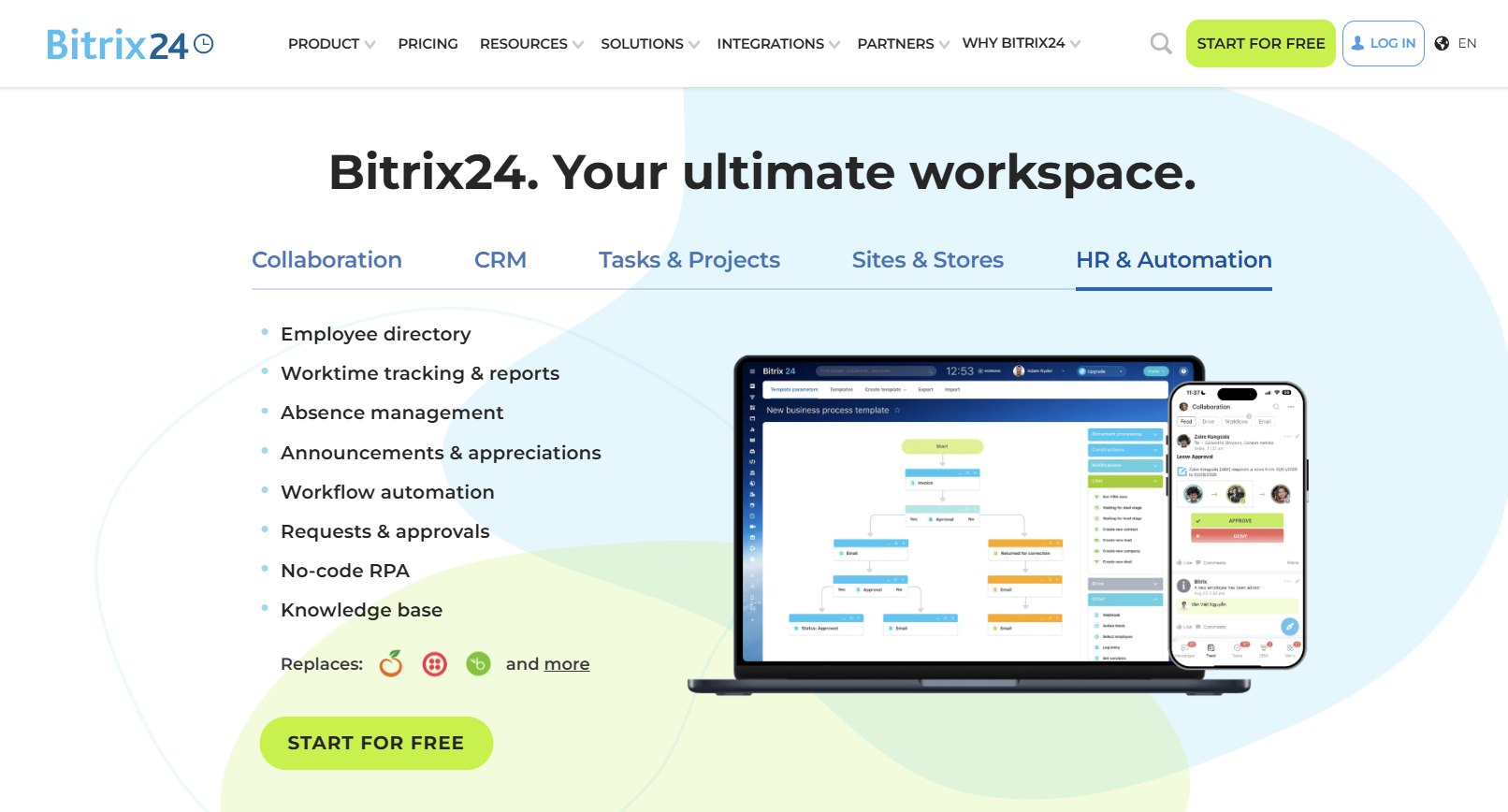
Bitrix24 has positioned itself in 2026 as a comprehensive all-in-one business platform that combines CRM, project management, team collaboration, automation, and AI tools into a single workspace. It appeals especially to small and medium-sized businesses, startups, and distributed teams seeking to replace multiple separate applications with one integrated solution. With a generous free plan supporting unlimited users and strong ratings around 4.1 to 4.2 out of 5 across major review sites, Bitrix24 stands out for its cost-effectiveness and breadth of functionality, though its dense interface presents a notable learning curve.
This detailed review explores Bitrix24’s core features, integrations, pricing structure, real-world pros and cons, and suitability compared to alternatives. It helps business owners, operations managers, and teams evaluate whether the platform aligns with their needs for sales, collaboration, and process automation.
What Is Bitrix24?
Bitrix24 is a cloud-based (with on-premise options) all-in-one platform designed to manage sales, projects, communication, HR, and marketing in one environment. Originally popular in certain international markets, it has evolved into a versatile workspace that includes CRM pipelines, task and project tools, internal social networking, video conferencing, contact center capabilities, website and store builders, and increasingly sophisticated automation and AI features.
The platform emphasizes collaboration and process automation, allowing teams to handle leads through to deals, assign and track tasks, communicate via chat or video, and automate repetitive workflows without switching between apps. In 2026, enhancements include improved AI assistance (CoPilot), no-code automation tools, and refinements to the messenger and collaboration features. It serves businesses ranging from solo entrepreneurs testing the free plan to larger organizations needing scalable tools and data sovereignty through self-hosted deployments.
Core Features of Bitrix24 in 2026
Bitrix24’s strength lies in its integrated modules that work together seamlessly.
CRM and Sales Tools: Comprehensive lead and deal management with customizable pipelines, contact and company records, sales automation rules, and triggers. Features include lead scoring, repeat sales suggestions, product catalogs, invoices, payments, and a contact center for omnichannel communication (live chat, email, social media, telephony, and messaging apps). AI elements assist with call analysis, sales scripts, and predictive insights.
Tasks and Project Management: Robust tools including Kanban boards, Gantt charts, time tracking, checklists, dependencies, templates, and automation. Projects integrate with CRM for context-aware task assignment. Scrum support and reporting help teams stay organized and measure productivity.
Collaboration and Communication: Modern messenger with updates like unread filters, mentions, and chat folders (especially useful in the mobile app). Video calls and meetings, workgroups, shared calendars, online documents, file storage (Drive), and an internal social feed create a connected workplace. External users and guests can be invited for collaboration.
Automation and AI: Automation Studio enables no-code workflow creation across CRM, tasks, and other modules. CoPilot AI provides summaries, task assistance, content generation, and insights. AI agents handle recurring tasks and support in customer channels. Business process automation extends beyond sales into HR, approvals, and operations.
Additional Modules: Contact center for unified communications, website builder and online store with CRM integration, HR tools (employee directory, time tracking, absences, workflows), analytics and reporting dashboards, e-signatures, and telephony options. Mobile apps support on-the-go access for CRM, tasks, and communication.
The platform’s modular yet interconnected design reduces context-switching and supports end-to-end business processes.
Integrations: Expanding Bitrix24’s Capabilities
Bitrix24 offers a marketplace with hundreds of apps and native or easy integrations with popular tools.
Key Integrations: Google Workspace and Microsoft 365 for email, calendar, and documents; telephony providers (Twilio, RingCentral, and native options in some editions); marketing tools (Mailchimp, social ad integrations); accounting (QuickBooks, Xero); e-signature (DocuSign); project and collaboration add-ons; and Zapier for broader connectivity. Strong support exists for WhatsApp, Telegram, Instagram, and other channels via the contact center.
API and Custom Development: REST API and webhooks enable custom integrations and app development. The marketplace includes solutions for specific industries or functions.
Marketplace Strength: Users appreciate the ecosystem for extending functionality without leaving the platform, though some advanced or niche needs may require custom work or third-party connectors.
Overall, integrations help centralize data and workflows, particularly for teams already invested in common productivity suites.
Pricing for Bitrix24 in 2026
Bitrix24 uses a distinctive flat-rate pricing model per organization rather than strict per-user scaling in higher plans, which can offer significant savings as teams grow.
- Free Plan: Permanently free with unlimited users (practical limits apply, often noted around 1–2 or more for full features in practice). Includes basic CRM, tasks, collaboration, chat/video, limited storage (around 5 GB), and core tools. Advanced automation, full CRM features, telephony, and some reporting are restricted. Ideal for testing or very small teams.
- Basic: Starts around $49–$69 per organization per month (annual billing discounts apply). Supports up to 5 users, more storage (24 GB), basic automation, email integration, telephony elements, and website/store tools.
- Standard: Around $99–$144 per organization per month. Up to 50 users, 100 GB storage, marketing tools, advanced CRM, online documents, and broader features.
- Professional: Around $199–$289 per organization per month. Up to 100 users, 1 TB storage, full automation, AI/CoPilot enhancements, HR tools, sales intelligence, and priority capabilities.
- Enterprise: Custom/higher pricing (e.g., starting several hundred dollars), with support for 250+ users, more storage (several TB), advanced admin, SLA options, and maximum scalability. On-premise/self-hosted editions are available with separate licensing.
Plans include a 15-day trial for paid features. Annual billing saves 25–35%. Pricing is predictable and often more cost-effective than per-user competitors for mid-sized teams, though total cost depends on chosen plan and any add-ons or telephony extras. The free tier’s generosity is a major draw, but serious CRM or automation use typically requires upgrading.
Pros of Bitrix24
- Generous Free Plan: Unlimited users and core functionality at no cost make it exceptionally accessible for startups, bootstrapped teams, and testing.
- True All-in-One Value: Combines CRM, projects, communication, HR, and automation, potentially replacing multiple tools and delivering substantial cost and efficiency savings.
- Powerful Automation and Customization: No-code workflows, business processes, and AI assistance (CoPilot) streamline repetitive work across departments.
- Scalable and Predictable Pricing: Flat organization-level pricing (with user caps) keeps costs manageable as teams grow, unlike exploding per-user fees elsewhere.
- Strong Collaboration Features: Integrated messenger, video, documents, and workgroups support remote and hybrid teams effectively.
- On-Premise Option: Self-hosted deployment provides data control and customization for security-conscious or regulated organizations.
- Broad Feature Depth: Contact center, telephony, website builder, and analytics add versatility without extra subscriptions.
Cons of Bitrix24
- Cluttered and Dense Interface: The wealth of features makes navigation overwhelming for new users; the learning curve is steep (often cited as 2–4 weeks or more for teams).
- Not as Polished as Modern Competitors: Lacks the clean, intuitive UX of specialized tools like Pipedrive or HubSpot; some areas feel dated or overly complex.
- Support Limitations on Lower Plans: Response times can be slow, and assistance is more limited below Enterprise tiers.
- Mobile App Shortcomings: While functional, the app sometimes lags desktop capabilities or feels less optimized.
- Feature Overlap and “Jack of All Trades” Perception: Depth in individual modules may not always match best-of-breed alternatives; some users find it bloated.
- Free Plan Restrictions: Advanced CRM automation, full reporting, and certain collaboration tools require paid plans, limiting long-term free use for growing teams.
Bitrix24 vs. Competitors in 2026
Bitrix24 competes with all-in-one platforms like Zoho One and HubSpot, as well as specialized tools like Pipedrive (sales CRM), Monday.com or ClickUp (projects), and Slack/Teams (collaboration). It differentiates through its generous free tier, flat pricing model, deep automation/business processes, and on-premise availability. HubSpot often wins on polished marketing/CRM UX, while Pipedrive excels in pure sales pipeline simplicity. For teams wanting everything in one place without high per-user costs, Bitrix24 provides compelling value, especially where collaboration and process automation are priorities alongside CRM.
Who Should Use Bitrix24?
Bitrix24 suits small to mid-sized businesses, startups, remote/hybrid teams, and organizations seeking an affordable, integrated workspace. It works well for companies needing CRM alongside strong project management and internal communication, or those wanting to minimize app sprawl. The free plan benefits very small teams or those testing waters, while Professional/Enterprise plans serve growing organizations with automation and scalability needs. It is less ideal for teams prioritizing a minimalist, highly intuitive interface or best-in-class depth in a single area (e.g., advanced marketing automation alone).
Final Verdict
In 2026, Bitrix24 remains a powerful, cost-effective all-in-one platform that delivers exceptional value through its free tier and flat pricing, particularly for teams willing to invest time in setup and training. Its comprehensive feature set—spanning CRM, projects, collaboration, automation, and AI—helps consolidate tools and streamline operations, with meaningful productivity gains reported by users who adapt to the system.
The primary trade-offs are the dense interface and learning curve, which may frustrate teams seeking immediate simplicity. For organizations prioritizing breadth, customization, and predictable costs over polished minimalism, Bitrix24 offers strong ROI. Start with the free plan or trial to assess fit, and consider implementation support for faster adoption.
Bitrix24 earns a solid recommendation for businesses ready to embrace an integrated workspace that grows with them.