


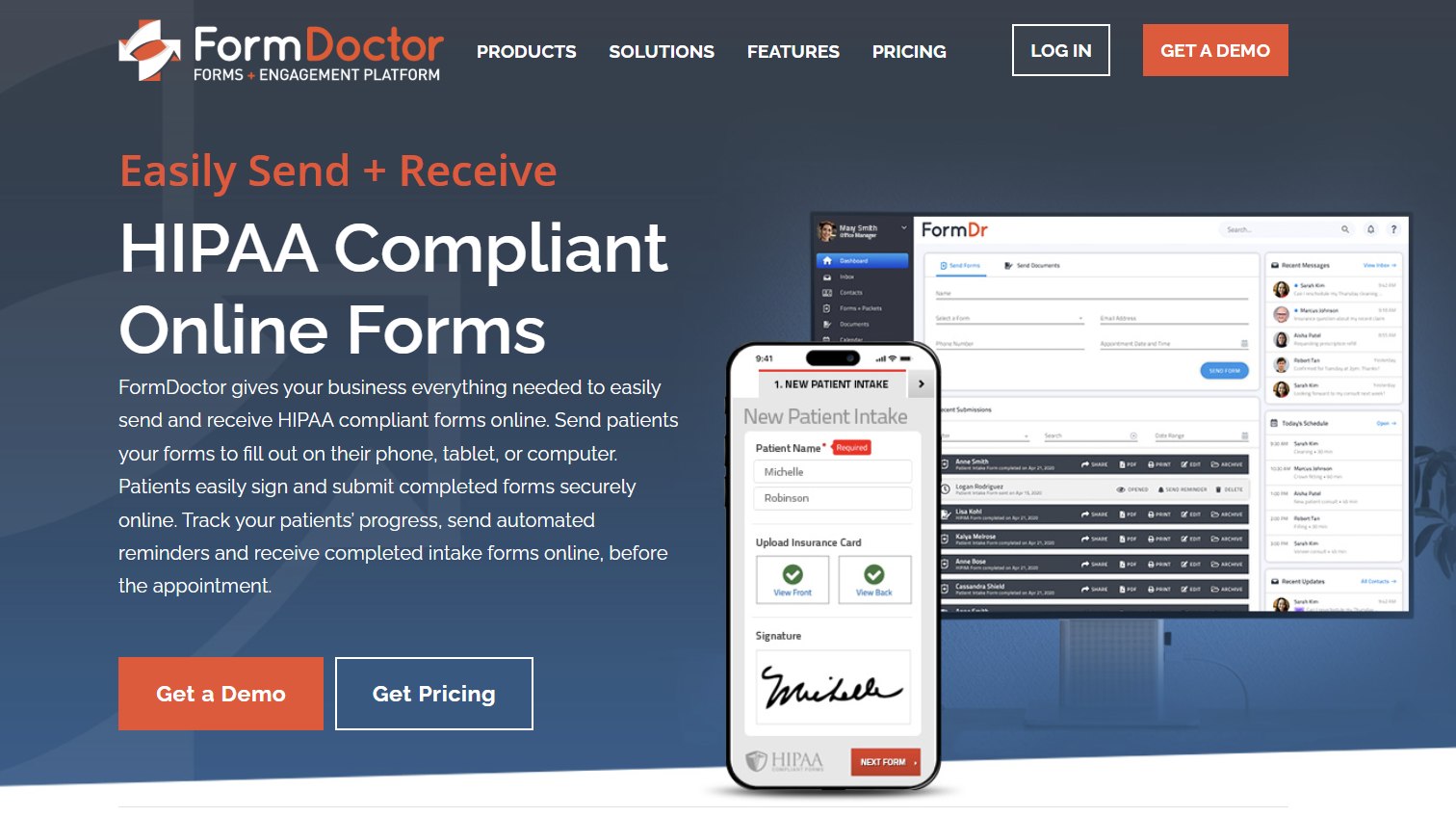
FormDr has established itself as a specialized HIPAA-compliant online form builder and patient intake solution in 2026. Healthcare practices, clinics, and wellness providers use it to digitize paperwork, streamline patient registration, and securely collect information. With a focus on ease of use and compliance, FormDr helps reduce administrative burden and improve patient experience through digital forms that work across devices.
This in-depth review covers FormDr’s key features, integrations, pricing, user feedback, pros and cons, and alternatives. It assists practice managers, clinicians, and administrative teams in determining if FormDr fits their digital intake needs.
What Is FormDr?
FormDr is a cloud-based platform designed for creating, sending, and managing secure online forms, with a strong emphasis on HIPAA compliance for healthcare settings. It enables practices to convert paper forms, PDFs, or Word documents into interactive digital versions that patients can complete on any device. Key capabilities include drag-and-drop form building, conditional logic, e-signatures, and direct integration with patient workflows.
Targeted at medical, dental, therapy, and other health practices, FormDr prioritizes simplicity, security, and efficiency. It supports packet-style intakes where multiple forms combine into one seamless experience. In 2026, it continues to focus on mobile-friendly design and compliance, helping practices go paperless while maintaining data privacy.
Core Features of FormDr in 2026
FormDr offers practical tools tailored to healthcare form management.
HIPAA-Compliant Form Builder: Intuitive drag-and-drop editor for creating custom forms without coding. Supports text fields, checkboxes, signatures, file uploads (insurance cards, IDs), and conditional logic for dynamic experiences.
Patient Intake Packets: Combine multiple forms into organized packets for comprehensive registration. Patients receive secure links and complete everything in one session.
E-Signatures and Document Management: Legally binding electronic signatures, secure storage, and easy retrieval. Convert existing documents quickly.
Secure Delivery and Access: Send forms via email or text with patient portals. Mobile-responsive design ensures accessibility on phones, tablets, or computers. Offline capabilities in some scenarios.
Automation and Workflows: Automated reminders, status tracking, and routing of completed forms to EMR systems or staff. Reduces manual follow-up.
Reporting and Analytics: Basic insights into completion rates, patient data trends, and form performance to optimize processes.
Additional Tools: Template library for common healthcare forms, branding customization, and secure data encryption throughout.
These features make FormDr effective for minimizing paperwork, speeding up check-ins, and enhancing compliance.
Integrations: Connecting to Practice Systems
FormDr focuses on core healthcare workflows with targeted connectivity.
EMR/EHR Systems: Direct uploads or integrations for seamless data transfer to patient records.
Practice Management Tools: Compatibility with scheduling and billing systems to create smoother patient journeys.
Limited but Purposeful: Emphasis on HIPAA-safe connections rather than broad marketplaces. Users appreciate reliability for essential flows, though some desire more native options for advanced automation.
The platform prioritizes security and simplicity in its integration approach.
Pricing for FormDr in 2026
FormDr offers tiered plans with clear entry-level pricing. Options include monthly or annual billing, with a focus on per-practice or usage-based elements. Contact for exact quotes as needs vary.
- Essential: Starts around $39–$59 per month — core form building, sending, and basic features.
Higher tiers add advanced automation, more storage, priority support, and additional users or packets. Unlimited forms and submissions in most plans reduce concerns about volume. Add-ons may cover premium templates or enhanced analytics. Many users find it cost-effective for the time and paper savings.
Free trials or demos allow testing before commitment.
Pros of FormDr
- Strong HIPAA Compliance and Security: Built-in encryption, secure delivery, and privacy features tailored for healthcare.
- Ease of Use: Drag-and-drop builder and intuitive interface require minimal training.
- Time and Cost Savings: Digitizes intake, reduces printing/scanning, and speeds up workflows.
- Mobile-Friendly Patient Experience: Forms work well on any device, improving completion rates.
- Flexible Form Creation: Conditional logic, packets, and templates support diverse specialties.
- Reliable Support: Positive feedback on responsiveness for healthcare users.
- Focused Simplicity: Avoids bloat, delivering exactly what many practices need for forms.
Cons of FormDr
- Limited Advanced Integrations: Fewer broad connections compared to full practice management suites.
- Basic Reporting: Lacks deep analytics or customizable dashboards in some views.
- Communication Features: Primarily form-focused; may need separate tools for messaging or reminders.
- Scaling for Large Practices: Per-user or tier limitations can increase costs for bigger operations.
- Customization Depth: While flexible, some users desire more advanced design or logic options.
FormDr vs. Competitors in 2026
FormDr competes with platforms like Jotform HIPAA, Wufoo, or broader tools from DoctorConnect and full EHR systems. It stands out for dedicated healthcare focus and ease of patient intake packets. Competitors may offer more integrations or communication tools, but FormDr excels in compliant, straightforward form management.
For practices prioritizing simple, secure digital forms without full practice management overhead, FormDr is often preferred.
Who Should Use FormDr?
FormDr suits small to medium healthcare practices, clinics, therapists, dentists, and wellness providers needing efficient, compliant patient forms. It is ideal for those transitioning from paper processes or seeking to enhance digital intake without complex systems. Larger organizations with extensive EHR needs might combine it with other tools or explore more integrated platforms.
Final Verdict
In 2026, FormDr delivers a reliable, user-friendly solution for HIPAA-compliant online forms and patient intake. Its focus on simplicity, security, and efficiency makes it valuable for reducing paperwork and improving patient experiences in healthcare settings.
While integration breadth and advanced reporting could expand, the platform meets core needs exceptionally well for many practices. Test it with a trial to see the impact on your workflows.
FormDr earns a strong recommendation for healthcare providers seeking dedicated, compliant form management software.