


Basecamp Software Review 2026: Features, Integrations, Pros & Cons
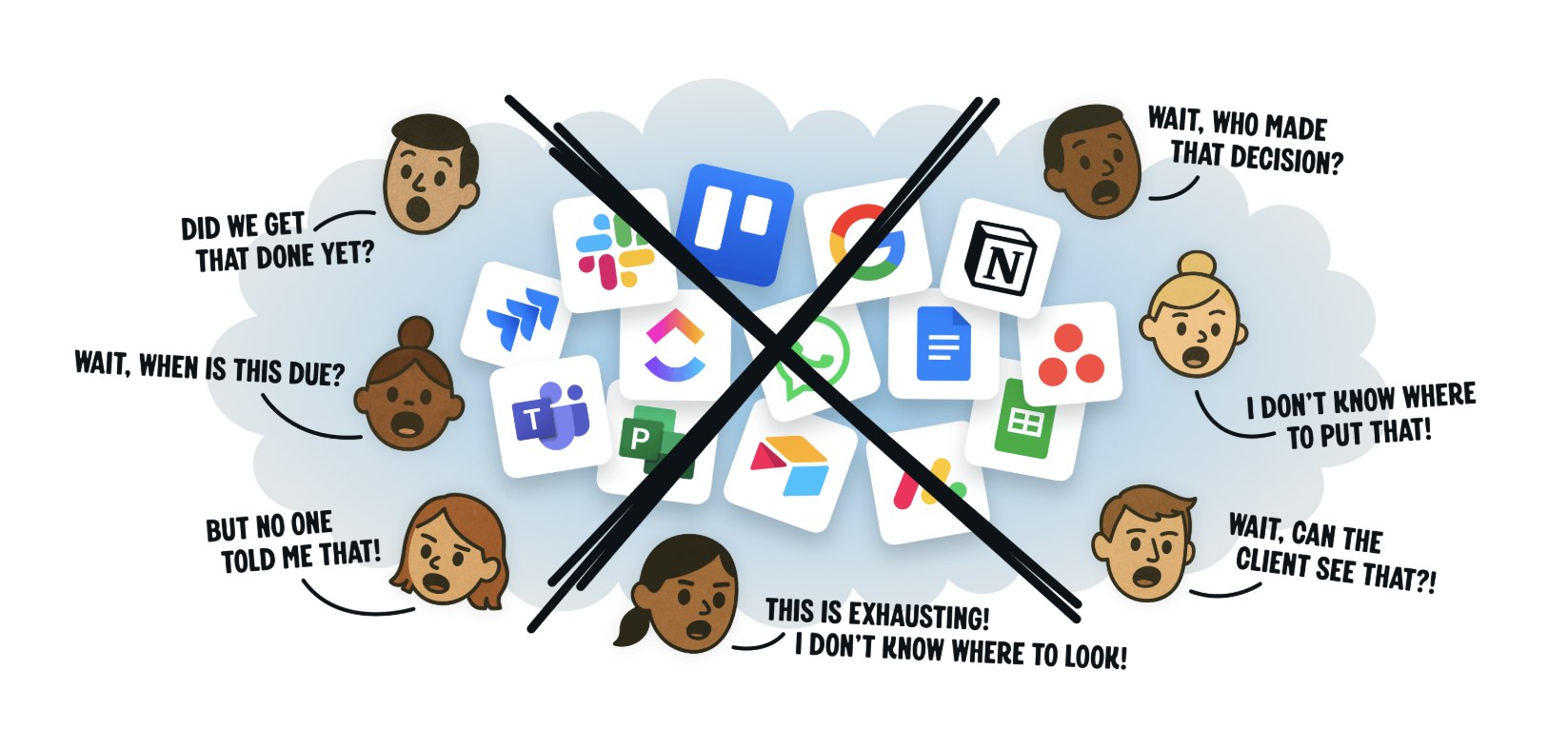
Basecamp remains one of the most polarizing yet enduring tools in the project management landscape as we move through 2026. Developed by 37signals, the platform has long championed simplicity over feature bloat, positioning itself as a calm alternative to the overwhelming suites that dominate the market. In an era where teams juggle Slack threads, endless email chains, Asana tasks and Notion databases, Basecamp promises to consolidate communication and collaboration into one clean, focused workspace.
This in-depth 2026 review examines Basecamp’s current state, including its core features, recent updates, pricing structure, integrations, and a balanced look at the pros and cons. Whether you lead a small creative agency, manage client projects or run a remote team tired of tool overload, this analysis will help determine if Basecamp fits your workflow — or if a more feature-rich competitor might serve you better.
Overview and Background
Basecamp launched in 2004 as a side project by 37signals founders Jason Fried and David Heinemeier Hansson. It quickly gained traction among web designers and small businesses seeking a straightforward way to manage projects without the complexity of enterprise software. Over two decades, it evolved through several major versions, with Basecamp 4 (released in early 2024) bringing a refreshed user interface, improved mobile experience and subtle enhancements that carry into 2026.
Unlike many modern project management tools that emphasize customization, automation and advanced reporting, Basecamp sticks to its philosophy of “less is more.” It organizes work around six primary tools within each project: To-dos, Message Board, Campfire (group chat), Schedule, Docs & Files, and Automatic Check-ins. Additional account-level views like Hilltop View (new in 2025), Lineup and Mission Control provide high-level progress visibility without forcing teams into rigid methodologies.
The platform targets teams that value clear communication, reduced meetings and asynchronous work. Creative agencies, client-service firms, remote-first startups and nonprofits often praise its intuitive design and predictable costs. However, engineering teams or large enterprises needing Gantt charts, dependencies, resource leveling or heavy automation frequently look elsewhere.
In 2026, Basecamp continues to hold strong appeal for organizations overwhelmed by tool proliferation. Its clean interface requires virtually no training — many teams report onboarding in under 15 minutes — making it especially attractive for non-technical users or mixed internal-client collaborations.
Core Features in 2026
Basecamp’s strength lies in its focused, well-executed tools rather than sheer quantity.
To-dos and Task Management Basecamp’s to-do lists remain straightforward. You create lists, assign tasks to individuals (only one assignee per task), set due dates and add comments. Tasks support rich text, file attachments and reminders. While simple, the system excels at clarity: everything lives in one place, and automatic reminders keep teams on track.
Notable limitations persist in 2026: no subtasks, no dependencies and no native workload balancing. Teams needing complex workflows must rely on manual organization or external tools.
Message Board This serves as the primary hub for discussions. Posts support threading, rich formatting, @mentions and file attachments. Unlike Slack’s fast-paced channels, Basecamp’s Message Board encourages thoughtful, long-form communication. Messages stay organized by project, reducing the chaos of scattered conversations.
Campfire (Group Chat) Campfire provides real-time group chat within projects. It supports quick questions without polluting the Message Board. In 2024-2025 updates, Basecamp improved Pings (direct or small-group messaging) with named conversations and better searchability. Chat remains deliberately separate from tasks, reinforcing Basecamp’s philosophy that not every conversation needs to become actionable work.
Schedule The calendar tool handles deadlines, meetings and milestones. Recent improvements include one-click video call links (Zoom, Google Meet, etc.) and natural language entry for events. It syncs with Google Calendar and Outlook, though two-way sync requires Zapier for full automation.
Docs & Files Basecamp offers collaborative document editing and generous file storage. Docs support real-time co-editing with basic formatting. File uploads are simple, with version history available but not as robust as dedicated tools like Google Drive or Dropbox. In the Pro Unlimited plan, storage reaches 5 TB, with 500 GB on the Plus plan.
Automatic Check-ins One of Basecamp’s standout features, Automatic Check-ins prompt team members with customizable questions on a schedule (daily, weekly, etc.). Responses appear in a dedicated thread, replacing status meetings and keeping everyone aligned asynchronously. Many users credit this tool with dramatically reducing meeting fatigue.
Visualization Tools
- Hill Charts: Unique to Basecamp, these show progress on to-do lists as a hill — “uphill” for figuring things out and “downhill” for execution. The 2025 Hilltop View aggregates all Hill Charts across projects for a single-screen overview.
- Lineup and Mission Control: Provide dashboard-style views of active projects, due items and overall activity.
Recent 2024-2026 updates include a cleaner UI, better mobile apps, Card Tables (a lightweight Kanban-style view) and improved client access flows. AI features remain minimal — Basecamp deliberately avoids heavy automation to preserve its calm ethos.
Pricing in 2026
Basecamp’s pricing stands out for its transparency and predictability.
- Free Plan: Limited to one project, up to 20 users and 1 GB storage. Ideal for testing or very small personal collaborations.
- Plus Plan: $15 per user per month (billed annually; higher monthly). Unlimited projects, 500 GB storage, all core features. Clients and contractors are free. Best for small to mid-sized teams.
- Pro Unlimited Plan: $299 per month billed annually ($349 monthly). Unlimited users, unlimited projects, 5 TB storage, priority 24/7 support, personal onboarding and the Timesheet add-on included. This flat-rate model becomes highly cost-effective for teams of 30+ users.
The Timesheet upgrade costs an additional $50/month flat on the Plus plan. Nonprofits and educators can access discounts.
Compared to competitors, Basecamp’s flat pricing shines for growing or large teams. A 50-person team pays roughly $6 per user on Pro Unlimited versus $10–$25+ per user on Asana, Monday.com or ClickUp advanced tiers. For smaller teams (under 15–20), per-user plans from rivals can prove cheaper.
Integrations
Basecamp offers fewer native integrations than modern competitors, reflecting its minimalist approach. It connects directly with:
- Google Workspace (Calendar, Drive)
- Slack (via Field Trip for activity notifications)
- Zapier (for connecting to 7,000+ apps, including Gmail, Trello, Jira, Salesforce and more)
- Dropbox
- Zoom and other video tools (via Schedule links)
Popular workflows through Zapier include syncing new to-dos to Google Sheets, posting Basecamp activity in Slack channels, or creating tasks from email. While functional, power users often note the lack of deep, bidirectional native integrations with CRMs, accounting software or advanced reporting tools.
In 2026, Basecamp relies heavily on Zapier for automation. Teams needing seamless connections to tools like HubSpot, QuickBooks or advanced analytics may find this limiting.
Pros
Simplicity and Ease of Use Basecamp’s greatest strength is its intuitive interface. New users can become productive almost immediately, with no mandatory training. This leads to high adoption rates, especially among non-technical teams or clients.
Reduced Communication Overload By centralizing messages, chat, tasks and files, Basecamp cuts down on email and scattered Slack threads. Many teams report 50-70% fewer status meetings thanks to Automatic Check-ins and clear project boundaries.
Predictable Pricing The Pro Unlimited flat fee provides cost certainty as teams grow. Free client access makes it excellent for agencies and client-facing work.
Focus on Calm, Asynchronous Work Hill Charts, Check-ins and separated communication channels encourage thoughtful progress over constant pinging.
Strong Mobile Experience The redesigned iOS and Android apps in Basecamp 4 support offline access and smooth performance for field or remote teams.
Excellent for Client Collaboration Guest access is seamless and free, with controlled permissions that keep clients informed without exposing sensitive internal data.
Cons
Limited Advanced Features Basecamp lacks task dependencies, subtasks, Gantt charts, resource management, advanced reporting and robust automation. Complex or highly structured projects often feel constrained.
No Native Time Tracking Teams needing built-in time logging must use the separate Timesheet add-on or third-party tools, adding friction.
Minimal Customization Projects follow a fixed structure with limited ability to hide or rearrange tools beyond basic toggles. No custom fields, workflows or database-style flexibility.
Fewer Integrations Compared to Asana, Monday.com or ClickUp, Basecamp’s native connections feel sparse. Heavy reliance on Zapier can introduce delays or additional costs.
Potential Cost for Small Teams The Pro Unlimited plan’s $299 flat fee can feel expensive for teams under 20 users when cheaper per-user alternatives exist.
Limited Reporting and Analytics Basic activity logs exist, but detailed dashboards, custom reports or portfolio views are absent.
Who Should Use Basecamp in 2026?
Basecamp excels for:
- Creative agencies and client-service businesses needing clean client collaboration.
- Remote or distributed teams prioritizing asynchronous communication.
- Small to mid-sized teams (especially 20+ users) seeking predictable costs and simplicity.
- Organizations tired of tool overload who want one calm hub for work.
It may not suit:
- Engineering or product teams requiring dependencies, sprints or advanced workflows.
- Large enterprises needing sophisticated reporting, resource planning or heavy automation.
- Teams deeply invested in agile methodologies or complex project hierarchies.
Basecamp vs. Competitors in 2026
Vs. Asana: Asana offers superior task dependencies, timelines, portfolios and automation but comes with a steeper learning curve and higher per-user costs at scale. Basecamp wins on simplicity and flat pricing.
Vs. Monday.com: Monday.com provides visual boards, powerful automations and customizable workflows but can feel overwhelming. Basecamp is far simpler and often cheaper for large teams.
Vs. ClickUp or Notion: These tools deliver extreme customization and all-in-one flexibility but risk feature bloat and complexity. Basecamp delivers focus where they deliver options.
Vs. Slack + Trello/Linear: Combining chat with lightweight task tools can mimic Basecamp, but the fragmentation often leads back to the very overload Basecamp solves.
Final Verdict
In 2026, Basecamp continues to deliver on its core promise: a refreshingly simple, communication-first platform that helps teams get work done without distraction. Its clean design, flat pricing for unlimited users and thoughtful tools like Hill Charts and Automatic Check-ins make it a standout choice for teams valuing clarity over complexity.
However, the same simplicity that attracts many becomes a limitation for others. If your projects involve intricate dependencies, heavy reporting needs or extensive automation, Basecamp may feel restrictive. For teams seeking calm, focused collaboration — especially those working with clients or operating remotely — it remains one of the strongest options available.
Basecamp is not trying to be everything to everyone, and that deliberate restraint is both its biggest strength and its clearest weakness. If your team craves fewer tools, fewer meetings and more actual work, Basecamp in 2026 is worth serious consideration. For power users chasing maximum flexibility, more feature-rich alternatives will likely feel like a better long-term fit.
Ultimately, Basecamp’s enduring appeal lies in its philosophy: work shouldn’t be complicated. In a software landscape increasingly defined by endless features and notifications, that message resonates as strongly today as it did two decades ago.